AppleXsoft Data Recovery Professional Overview:
Intensive deep scanning utility suitable for all recovery situations!
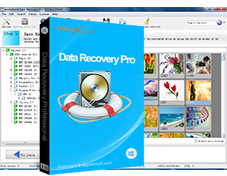
A safe and complete data recovery solution for Windows that is designed to recover lost and deleted files from all types of media such as hard drives, USB drives, SmartMedia, CompactFlash, Memory Sticks, CD/DVD and other types of removable media. In addition, It can recover lost or formatted drives, and even reconstruct lost RAIDs!
AppleXsoft Data Recovery recovers files whether they have been emptied from the Recycle Bin, Windows Explorer, or deleted from the command line, from within an application or data loss due to hard drive formatted or damaged, virus infection, application crash and other unknown reasons.
It is also possible to recover data from a reformatted partition, corrupted, lost, deleted or missing partition. Data Recovery Professional works well when other software fail to retrieve your lost and inaccessible data.
Especially for forensic application the list of recovered and reconstructed files and folders can be saved to disk as well as printed out.
An easy step-by-step recovery wizard guides you through the process of recovery.
Take a look at unique features of Data Recovery Professional :
- Award-winning software, works when other utilities have failed.
- Recovers RAW data.
- Supports RAID arrays, Restore data from damaged RAID arrays!
- Supports drives detecting even if they are not visible in Windows Explorer.
- Recover deleted files, files deleted from the recycle bin or deleted permanently using the Shift + Delete keys.
- Recovers corrupt or damaged partition tables.
- Recovers all file types, like document files, videos, photos, music, PDF, and more!
- Recovers data from drives that won't mount.
- Recovers data if the MBR, Boot Sector or File allocation table gets lost and even if the MFT gets corrupted.
- Recovers lost or deleted email from Outlook, Outlook Express, Windows Live Mail, Eudora, Mozilla, Becky.
- Performs batch windows data recovery
- Supports compressed and encrypted files (for NTFS)
- Scans and finds lost partitions, boot sectors and other file system components.
- Supported file systems: FAT 12/16/32 (used by hard disks, disks, Smartmedia™, Compact Flash™, Memory Stick and other) and NTFS (used by hard drives)
- Ability to scan all volumes in a local machine and build a directory tree of all lost and deleted files.
- Reports, saves or prints out lists of recovered files.
- Ability to preview file contents before recovery.
- Safe and non destructive data recovery software, no write operation performed.
- Search lost and deleted files matching file name criteria
- Fast scanning engine allows the file list to be built in a few minutes.
- Easy to understand File Manager and typical Save File dialog.
- Very secure undeleting: program does no write operation on drive containing files to be undeleted
- Saves data to any windows drive (including network drives, removable media, etc.).
- Available in English, German, Italian, Japanese, Korean, Danish, Dutch, French, Finnish, Norwegian, Chinese, Polish, Portuguese, Spanish and Swedish.
- Support all Windows versions including Windows 11.
- Data recovery wizard mode for beginners. Recovers your files with only a few clicks.
Advantages:
- Access to all the Windows file systems - FAT12/16, FAT32 and NTFS under any operating system
- Full access to the network and other installed peripherals such as Zip, SyQuest and external hard drive.
- Standard write using Windows® API minimizes the chance of disk corruption.
- Easy to use. A fully automated wizard walks the user through the program.
- More than a Windows recycle-bin!
- Since Data Recovery for Windows operates in Windows® environment, it has access to the Windows® virtual memory. This eliminates the file and drive size limitations associated with a DOS based program.
- Compatibility with Stripe Sets RAID and Mirrored Drives.
- Supports more than 16 languages.
Tip: To preserve the drive with the lost or deleted files, all recovered files must be saved to another storage device or another drive letter in the system. Data Recovery is a non-destructive read-only application and will not write or make changes to the drive it is performing the recovery.
Allows recovering your data from:
- Deleted, lost or damaged partition.
- Lost or deleted volumes and files
- Windows is damaged and system not bootable
- Installations Gone Wrong
- Virus Attacks - Deletions
- Deletions- local or over network
- Local HDD or External drives
- Accidental or malicious disk initializations
- Virtually Any Logical Disk Disaster